
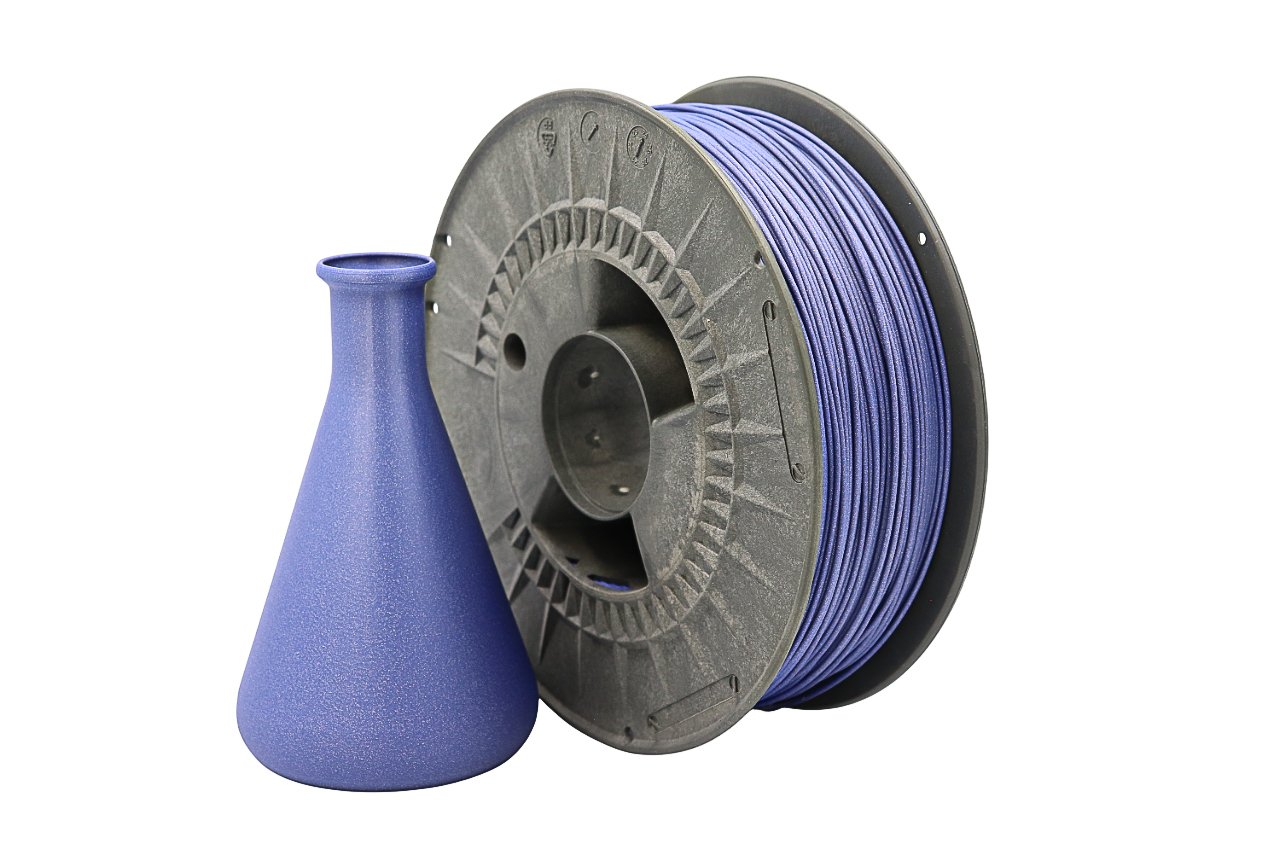
Flexible materials open up an entirely new world in 3D printing, and TPU sits right at the center of that world. If you’re just getting started with flexible filaments, TPU can feel intimidating at first—but with the right understanding of material behavior and TPU filament settings, it quickly becomes one of the most versatile materials you can use. This guide is built specifically for beginners and focuses on the fundamentals that actually matter: Shore hardness, speed control, and where TPU truly shines in real-world applications.
What Is TPU and Why It Matters for 3D Printing
Defining TPU: Thermoplastic Polyurethane
TPU (Thermoplastic Polyurethane) is a flexible, rubber-like filament that combines elasticity with durability. Unlike rigid filaments such as PLA or PETG, TPU can bend, compress, and stretch while returning to its original shape. This makes it ideal for parts that need flexibility without sacrificing strength. What makes TPU special is that it’s still a thermoplastic. That means it melts and solidifies like standard filaments, allowing it to be printed on many consumer-grade FDM printers—as long as your TPU filament settings are dialed in correctly.
Key Material Properties
TPU offers high abrasion resistance, excellent layer adhesion, and strong impact resistance. It also performs well in environments where vibration, friction, or repeated flexing would quickly destroy rigid plastics. However, these same flexible properties are why incorrect TPU filament settings often lead to stringing, jams, or poor dimensional accuracy.
Common Uses for TPU Filament
TPU is commonly used for phone cases, gaskets, protective covers, vibration dampeners, seals, flexible hinges, belts, and wearable components. These applications demand flexibility—and that’s exactly where TPU outperforms most materials.
Understanding Shore Hardness in TPU
What Shore Hardness Means
Shore hardness is a scale that measures how soft or hard an elastomer is. TPU filaments are usually rated on the Shore A scale, where lower numbers mean softer and more flexible material. For example, Shore 85A feels similar to soft rubber, while Shore 98A is closer to semi-rigid plastic. Understanding Shore hardness is essential because it directly affects your TPU filament settings, especially speed, retraction, and extrusion consistency.
How Shore Hardness Affects Flexibility & Strength
Softer TPU bends more easily but is harder to print. Harder TPU offers better print stability but less flexibility. Softer materials require slower speeds and tighter control, while harder TPUs tolerate slightly more aggressive TPU filament settings.
Choosing the Right Shore Hardness for Projects
For beginners, a TPU around Shore 95A–98A is often the easiest starting point. It still provides flexibility but behaves more predictably during extrusion. Once you’re comfortable tuning TPU filament settings, experimenting with softer materials becomes much easier.
Printer Settings for Successful TPU 3D Printing
Choosing the Right Printer & Extruder Type
Direct-drive extruders are ideal for TPU because the filament path is short and well-guided. Bowden setups can still work, but they require slower speeds and very conservative TPU filament settings to avoid buckling inside the tube.
Ideal Print Speed Recommendations
Speed is the single most important factor when printing TPU. Most TPU prints perform best between 20–40 mm/s. Printing too fast almost always leads to extrusion inconsistencies. Slowing down gives the filament time to flow smoothly and respond predictably to your TPU filament settings.
Temperature & Retraction Settings
TPU typically prints between 210–240°C, depending on the brand and hardness. Retraction should be minimal or disabled entirely—especially on softer TPUs. Aggressive retraction is a common mistake and a frequent cause of jams when TPU filament settings aren’t adjusted properly.
Bed Adhesion & First Layer Tips
TPU sticks well to textured PEI, painter’s tape, or glue-coated beds. Use a slightly higher first-layer temperature and slower first-layer speed to stabilize the print before normal TPU filament settings take over.
How to Print With TPU: Step-by-Step Workflow
Preparing Your 3D Model
Designs intended for TPU should avoid sharp corners and thin unsupported walls. Rounded edges and thicker sections print more reliably and respond better to flexible material behavior.
Slicing Profile Recommendations
Start with conservative defaults: low speed, low acceleration, minimal retraction, and consistent extrusion. Creating a dedicated profile for TPU filament settings will save time and reduce trial-and-error in future projects.
Troubleshooting Common TPU Printing Issues
Stringing usually means temperature or speed is too high. Under-extrusion often indicates the filament is compressing inside the extruder. Both issues can usually be fixed by refining TPU filament settings rather than changing hardware.
Best Uses & Application Areas for TPU Prints
Functional Prototypes and Custom Parts
TPU is excellent for prototypes that must behave like final rubber components. It allows you to test flexibility, grip, and compression early in development.
Flexible Mechanical Components
Gaskets, seals, vibration isolators, and protective bumpers benefit enormously from TPU’s elasticity. With correct TPU filament settings, these parts are both durable and dimensionally reliable.
Wearables, Cases, and Everyday Items
Phone cases, watch bands, protective sleeves, and tool grips are classic TPU applications. These prints benefit from TPU’s comfort, durability, and resistance to wear.
TPU Print Success Tips from Experts
Adjusting Print Settings for Different Hardness Levels
The softer the TPU, the slower and more controlled your TPU filament settings must be. Harder TPU allows slightly higher speeds and more forgiving extrusion.
Bed Adhesion Hacks
Avoid over-adhesion by allowing parts to cool fully before removal. TPU can grip beds extremely well, especially with aggressive TPU filament settings.
When to Use Supports (and When Not To)
Supports are often unnecessary for TPU due to its flexibility. When needed, use low-density supports to prevent bonding issues.
Frequently Asked Questions (TPU Printing)
Is TPU hard to print for beginners?
Not if you respect the material. Most problems come from pushing TPU filament settings too aggressively.
How do I choose TPU vs TPE filament?
TPU is generally easier to print and more consistent, making it better for beginners.
Can TPU parts be post-processed?
Yes—TPU can be trimmed, sanded lightly, and even heat-shaped with care.
Conclusion
TPU may look intimidating at first, but with a solid understanding of Shore hardness, controlled print speeds, and carefully tuned TPU filament settings, it becomes one of the most rewarding materials to print. From functional mechanical parts to everyday flexible products, TPU unlocks applications that rigid plastics simply can’t handle. Once you master the basics, TPU won’t feel like a challenge—it’ll feel like a powerful upgrade to your entire 3D printing workflow.